LI Folders
A extension to organize your linkedin posts
LI Foldersとは何ですか?
LI Foldersはli-folders-nanlabsによって開発されたChromeの拡張機能で、その主な機能は「A extension to organize your linkedin posts」です。
拡張機能のスクリーンショット
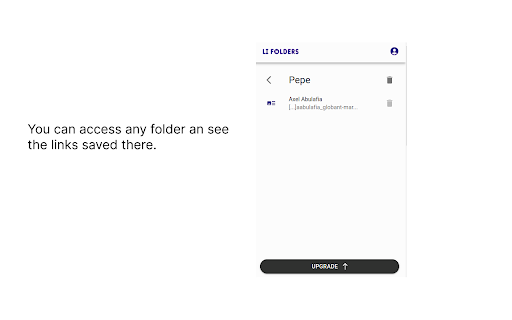
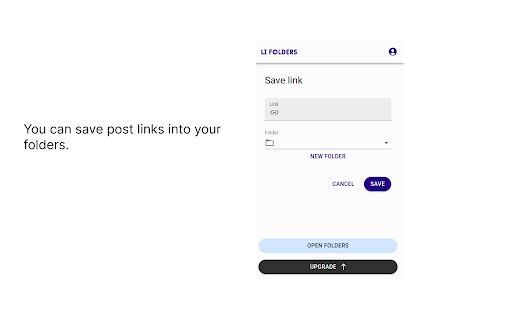
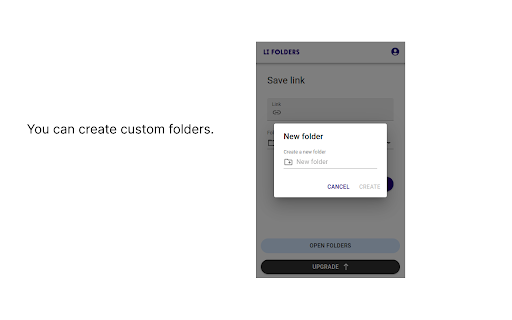


LI Folders拡張機能のCRXファイルをダウンロード
LI Folders拡張子のファイルをcrx形式でダウンロードし、ブラウザにChrome拡張機能を手動でインストールするか、crxファイルを友達と共有して簡単にChrome拡張機能をインストールします。
拡張機能の使用方法
                        Have you ever felt like your saved LinkedIn posts are buried in a digital junk drawer? You know they're in there somewhere, but finding them feels like a game of hide-and-seek with no end in sight.

That's where LI Folders comes in - we're the Marie Kondo of your LinkedIn content (she’s a famous organizer if you didn’t know).

Declutter your saved posts and organize them into tidy little folders that spark joy. Say goodbye to digital clutter and hello to a more efficient and enjoyable LinkedIn experience.

P.S. LI Folders is a self-funded team of 1 so I'm pumped you're considering using it. If you have any feedback or just want to say hi, shoot me an email at [email protected]. I reply to everyone.
拡張機能の基本情報
| 名前 |  LI Folders LI Folders |
| ID | kaoldoegfkjkihpfmnlijajofdpbeklp |
| 公式URL | https://chromewebstore.google.com/detail/li-folders/kaoldoegfkjkihpfmnlijajofdpbeklp |
| 説明 | A extension to organize your linkedin posts |
| ファイルサイズ | 977 KB |
| インストール数 | 82 |
| 現在のバージョン | 0.10.2 |
| 最終更新日 | 2023-10-21 |
| 公開日 | 2023-09-11 |
| 評価 | 5.00/5 合計 6 レビュー |
| 開発者 | li-folders-nanlabs |
| Eメール | [email protected] |
| 支払い方法 | in_app |
| 拡張機能のウェブサイト | https://www.lifolders.com/ |
| プライバシーポリシーページのURL | https://docs.google.com/document/d/1nKCU40p2pP-26Dh7okP4XalSke6y-ix9ajMvOsGUIf4/edit?usp=sharing |
| 対応言語 | en |
| manifest.json | |
{
    "update_url": "https:\/\/clients2.google.com\/service\/update2\/crx",
    "manifest_version": 3,
    "name": "LI Folders",
    "version": "0.10.2",
    "description": "A extension to organize your linkedin posts",
    "action": {
        "default_popup": "src\/popup\/index.html",
        "default_icon": "icon-34.png"
    },
    "icons": {
        "128": "icon-128.png"
    },
    "content_scripts": [
        {
            "matches": [
                "https:\/\/www.linkedin.com\/*"
            ],
            "js": [
                "src\/content\/index.js"
            ],
            "css": []
        }
    ],
    "web_accessible_resources": [
        {
            "resources": [
                "assets\/js\/*.js",
                "assets\/css\/*.css",
                "assets\/png\/*.png",
                "icon-34.png",
                "icon-128.png",
                "src\/iframe\/index.html"
            ],
            "matches": [
                "https:\/\/www.linkedin.com\/*"
            ]
        }
    ],
    "permissions": [
        "activeTab"
    ]
} | |