PDF Drop
All the PDF Tools you Need in One Place.
Co to jest PDF Drop?
PDF Drop to rozszerzenie Chrome opracowane przez https://pdf-drop.com, a jego główną funkcją jest „All the PDF Tools you Need in One Place.”.
Zrzuty ekranu rozszerzenia
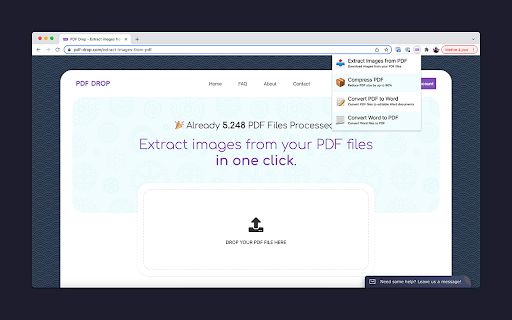

Pobierz plik CRX rozszerzenia PDF Drop
Pobierz pliki rozszerzeń PDF Drop w formacie crx, zainstaluj ręcznie rozszerzenia Chrome w przeglądarce lub udostępnij pliki crx znajomym, aby łatwo zainstalować rozszerzenia Chrome.
Instrukcja Użytkowania Rozszerzenia
                        Manage your PDF files from your browser and boost your online productivity in just one click!

🎉 Available Features :

- Compress PDF (reduce their size by up to 90%)
- Convert PDF to Word documents (by keeping content formatting)
- Convert Word documents to PDF
- Extract Images from your PDF files

Sell your PDF files (ebooks or any other PDF) on EDP at https://easy-digital-products.com.
Podstawowe informacje o rozszerzeniu
| Nazwa |  PDF Drop PDF Drop |
| ID | iipcnebeanlkejnmbedeaeicaplfmibf |
| Oficjalny URL | https://chromewebstore.google.com/detail/pdf-drop/iipcnebeanlkejnmbedeaeicaplfmibf |
| Opis | All the PDF Tools you Need in One Place. |
| Rozmiar pliku | 11.17 KB |
| Liczba instalacji | 92 |
| Aktualna Wersja | 1.0 |
| Ostatnia Aktualizacja | 2024-03-02 |
| Data Publikacji | 2022-02-02 |
| Deweloper | https://pdf-drop.com |
| [email protected] | |
| Typ Płatności | in_app |
| Strona Rozszerzenia | https://pdf-drop.com |
| Adres URL Strony Pomocy | https://pdf-drop.com/contact |
| Adres URL Strony Polityki Prywatności | https://pdf-drop.com/terms |
| Obsługiwane Języki | en |
| manifest.json | |
{
    "update_url": "https:\/\/clients2.google.com\/service\/update2\/crx",
    "name": "PDF Drop",
    "description": "All the PDF Tools you Need in One Place.",
    "version": "1.0",
    "manifest_version": 3,
    "background": {
        "service_worker": "background.js"
    },
    "permissions": [],
    "action": {
        "default_popup": "popup.html",
        "default_icon": {
            "16": "\/images\/icon16.png",
            "32": "\/images\/icon32.png",
            "48": "\/images\/icon48.png",
            "128": "\/images\/icon128.png"
        }
    },
    "icons": {
        "16": "\/images\/icon16.png",
        "32": "\/images\/icon32.png",
        "48": "\/images\/icon48.png",
        "128": "\/images\/icon128.png"
    },
    "options_page": "options.html"
} | |