WSDL documenter
Parses the WSDL files and all imported XSD and generates a human readable documentation
WSDL documenterคืออะไร?
WSDL documenter เป็นส่วนขยายของ Chrome ที่พัฒนาโดย smirnovdevelops และคุณลักษณะหลักของมันคือ "Parses the WSDL files and all imported XSD and generates a human readable documentation"
ภาพหน้าจอของส่วนขยาย

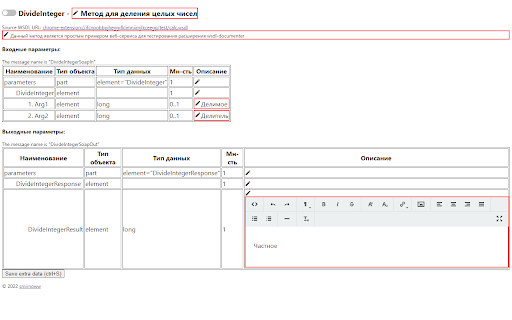
ดาวน์โหลดไฟล์ CRX ของส่วนขยาย WSDL documenter
ดาวน์โหลดไฟล์ส่วนขยาย WSDL documenter ในรูปแบบ crx และติดตั้งส่วนขยาย Chrome ด้วยตนเองในเบราว์เซอร์หรือแชร์ไฟล์ crx กับเพื่อนๆ เพื่อติดตั้งส่วนขยาย Chrome อย่างง่ายดาย
คำแนะนำในการใช้ส่วนขยาย
Преобразует в WSDL и все импортируемые XSD в человеко-читаемую документацию по методу веб-сервиса. Позволяет команде совместно работать с документацией web-сервиса, сохраняя дополнительную документацию во внешнем key-value хранилище ข้อมูลพื้นฐานของส่วนขยาย
| ชื่อ |  WSDL documenter WSDL documenter |
| ID | leocjgllmldcpblnenplmdonopjelopi |
| URL อย่างเป็นทางการ | https://chromewebstore.google.com/detail/wsdl-documenter/leocjgllmldcpblnenplmdonopjelopi |
| คำอธิบาย | Parses the WSDL files and all imported XSD and generates a human readable documentation |
| ขนาดไฟล์ | 807 KB |
| จำนวนการติดตั้ง | 169 |
| เวอร์ชันปัจจุบัน | 0.0.2.0 |
| อัปเดตครั้งล่าสุด | 2022-10-21 |
| วันที่เผยแพร่ | 2022-05-31 |
| ผู้พัฒนา | smirnovdevelops |
| อีเมล | [email protected] |
| ประเภทการชำระเงิน | free |
| ภาษาที่รองรับ | ru |
| manifest.json | |
{
"update_url": "https:\/\/clients2.google.com\/service\/update2\/crx",
"name": "WSDL documenter",
"description": "Parses the WSDL files and all imported XSD and generates a human readable documentation",
"version": "0.0.2.0",
"manifest_version": 3,
"options_ui": {
"page": "options.html",
"open_in_tab": false
},
"icons": {
"16": "icon16.png",
"32": "icon32.png",
"48": "icon48.png",
"128": "icon128.png"
},
"permissions": [
"tabs",
"storage"
],
"action": {
"default_popup": "index.html",
"default_icon": "icon32.png"
},
"content_scripts": [
{
"matches": [
" | |