Move Tab to Next Window
One-click to move a tab, NOW with Tab Groups support!
什么是Move Tab to Next Window?
Move Tab to Next Window是由Roman Shevtsov开发的Chrome扩展程序,该扩展的主要功能是“One-click to move a tab, NOW with Tab Groups support!”。
扩展截图
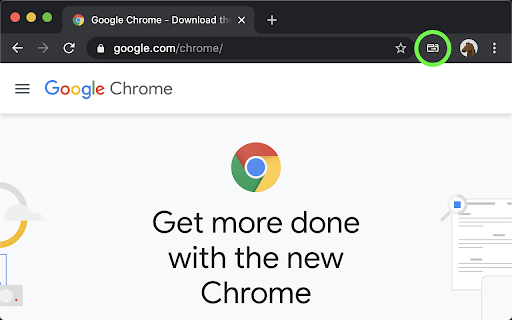
下载Move Tab to Next Window扩展crx文件
下载Move Tab to Next Window扩展crx格式的文件,手动将Chrome插件安装到浏览器中,也可以将crx文件分享给朋友,轻松安装Chrome插件。
扩展使用说明
                        Especially useful for these amazing multi-monitor setups when it's too annoying to drag tabs around between windows.

## Quick feature list
- the source tab position is saved in all windows, so if it's moved back into a window, it moves into its original position
- if the tab is in a tab group, when moving it the identical group will be created or used in another window. When moving back to original window the tab will return into its original group
- multiple tabs move - select multiple tabs (use shift or cmd/ctrl) and move all of them into the next window in the same order
- if there is only 1 window, a new window will be opened on move
- keyboard shortcut support

Open sourced on Github for transparency.
扩展基本信息
| 名称 |  Move Tab to Next Window Move Tab to Next Window |
| ID | ibpemckpjfpmhlagogddlajhaiemdjaf |
| 官方URL | https://chromewebstore.google.com/detail/move-tab-to-next-window/ibpemckpjfpmhlagogddlajhaiemdjaf |
| 简介 | One-click to move a tab, NOW with Tab Groups support! |
| 文件大小 | 13.82 KB |
| 安装次数 | 452 |
| 当前版本 | 1.1.0 |
| 更新时间 | 2023-08-31 |
| 上架时间 | 2020-06-04 |
| 评分 | 5.00/5 共7次评分 |
| 开发者 | Roman Shevtsov |
| 电子邮箱 | [email protected] |
| 付费类型 | free |
| 扩展官网 | https://github.com/rshev/MoveTabToNextWindow |
| 帮助页面URL | https://github.com/rshev/MoveTabToNextWindow |
| 支持的语言 | en-GB |
| manifest.json | |
{
    "update_url": "https:\/\/clients2.google.com\/service\/update2\/crx",
    "manifest_version": 3,
    "name": "Move Tab to Next Window",
    "version": "1.1.0",
    "description": "One-click to move a tab, NOW with Tab Groups support!",
    "homepage_url": "https:\/\/github.com\/rshev\/MoveTabToNextWindow",
    "permissions": [
        "tabGroups",
        "storage"
    ],
    "background": {
        "service_worker": "index.js"
    },
    "icons": {
        "16": "icon-dark-outlined-16.png",
        "32": "icon-dark-outlined-32.png",
        "48": "icon-dark-outlined-48.png",
        "128": "icon-dark-outlined-128.png"
    },
    "action": {
        "default_title": "Move Tab to Next Window",
        "default_icon": {
            "16": "icon-light-outlined-16.png",
            "32": "icon-light-outlined-32.png"
        }
    },
    "commands": {
        "move-tab": {
            "description": "Move Tab to Next Window"
        }
    }
} | |